四層 BOM × 表格模式
MISSION → SYSTEM → ASSEMBLY → PART 四層 BOM 階層以可展開的樹狀表格呈現。每一列代表一個組件,展開後可看到該組件下的所有需求列。
不同組件層級以視覺化的群組邊框區隔,一眼就能分辨組件歸屬。
- 四層 BOM 展開 / 摺疊
- 組件群組自動框線
- 需求列內嵌於組件下方
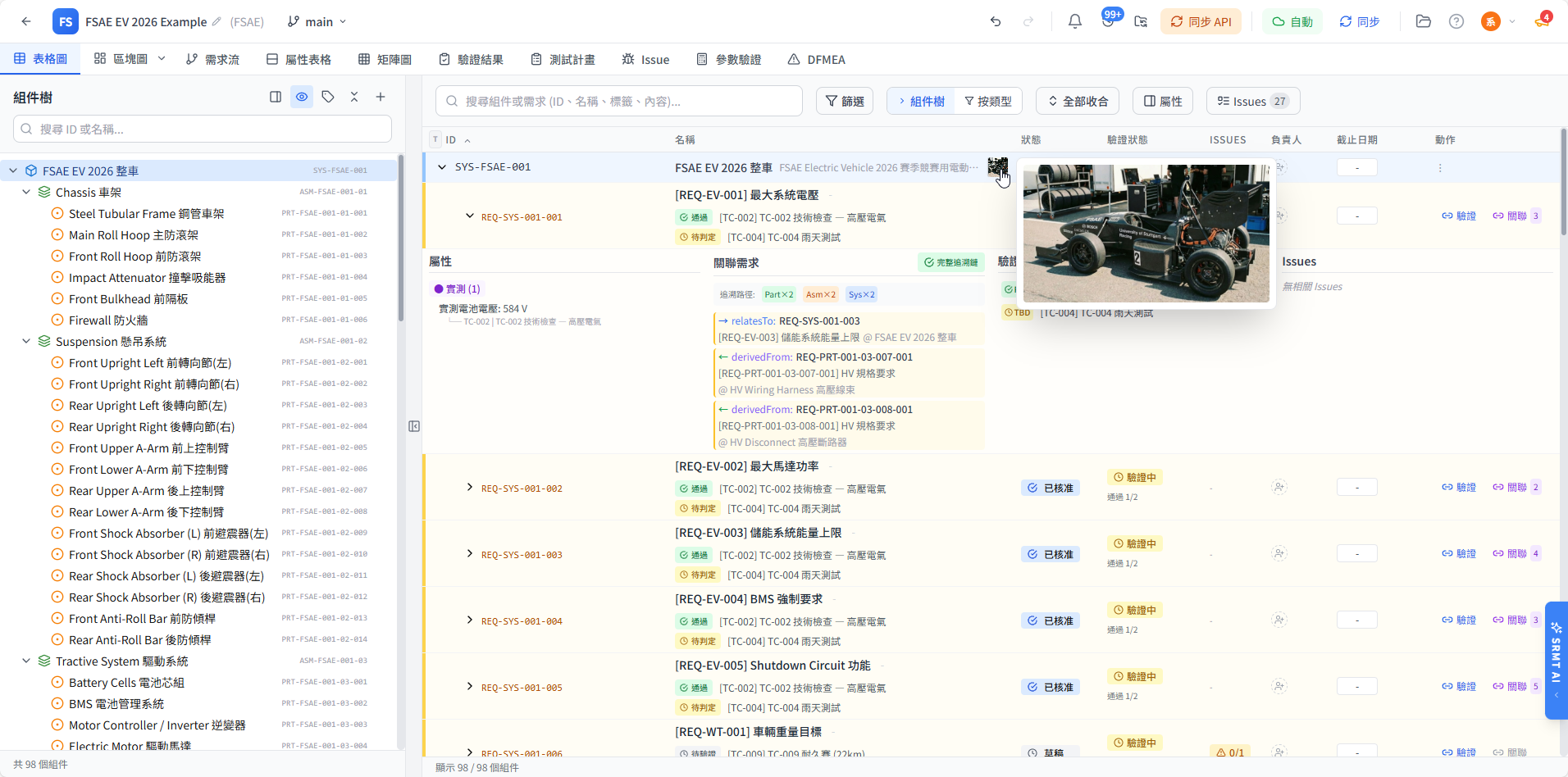
以表格形式展示完整 BOM 階層,每個組件的需求、屬性、測試狀態一目了然。支援快速篩選、排序與群組邊框,讓工程師在同一畫面掌握所有關鍵資訊。
MISSION → SYSTEM → ASSEMBLY → PART 四層 BOM 階層以可展開的樹狀表格呈現。每一列代表一個組件,展開後可看到該組件下的所有需求列。
不同組件層級以視覺化的群組邊框區隔,一眼就能分辨組件歸屬。
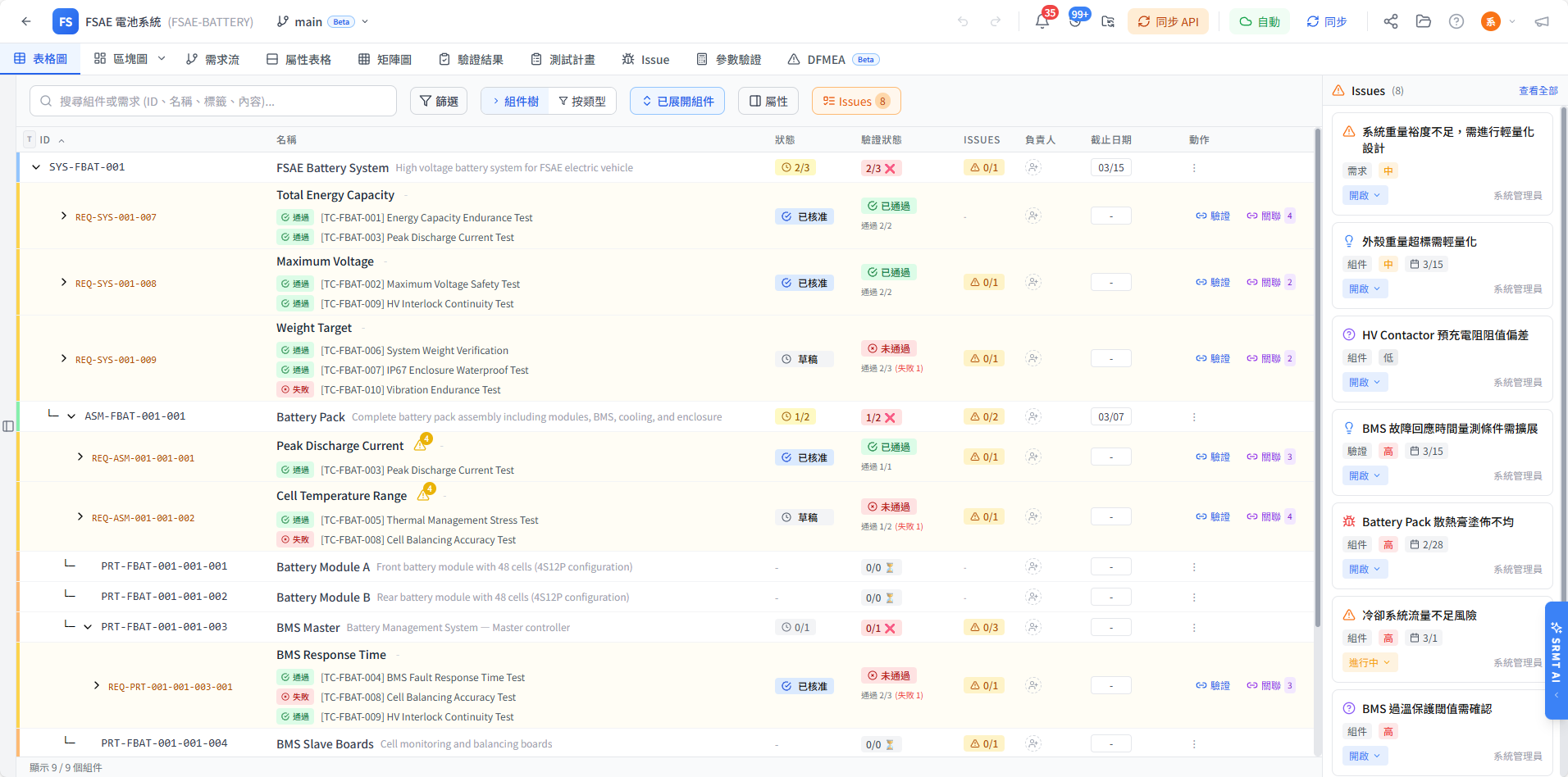
支援按組件類型、需求狀態、驗證結果進行快速篩選。欄位標題點擊即可排序,讓您快速找到未通過驗證的零件或缺少需求的組件。
搭配屬性表格模式可進一步檢視設計參數、公式欄位與外部來源值。
右鍵點擊任何組件或需求列,彈出上下文選單提供新增子組件、新增需求、複製/貼上、刪除等常用操作。所有操作即時反映到 BOM 樹狀結構。
Click-to-Edit:直接點擊組件名稱或需求描述即可進入編輯模式。
開啟 Demo 專案,親自操作表格介面。
A BOM (Bill of Materials) tree is a 4-level hierarchy of all system components: MISSION → SYSTEM → ASSEMBLY → PART. NIL-MISS links each component directly to requirements, test cases, DFMEA items, and attributes in one connected platform — replacing hundreds of Excel files.
Yes. NIL-MISS AI Import parses Excel BOM files and automatically builds the 4-level hierarchy, requirements, and attributes. You preview the full import before writing — zero risk to existing data.
Yes. NIL-MISS connects BOM components to requirements, test cases, DFMEA items, and parametric checks. When any component changes, all linked items are automatically flagged — impossible with disconnected spreadsheets.
Yes. NIL-MISS is completely free — BOM tree, RTM, DFMEA, V-Model, AI analysis all included. No credit card required. Sign up at nilmiss.com.